
- SERVICE
- STRG.timeline
- SOURCE
- Your archive
- METHOD
- Semantics
- OUTPUT
- Timeline
Media archives · Semantics · Recommendation
The Archive becomes recommendation
STRG.timeline brings a publisher's archive back to the surface. We digitise your back issues, compute the meaning of every text and place a timeline of matching older pieces underneath each current article. Readers stay longer, and your most valuable asset goes back to work.
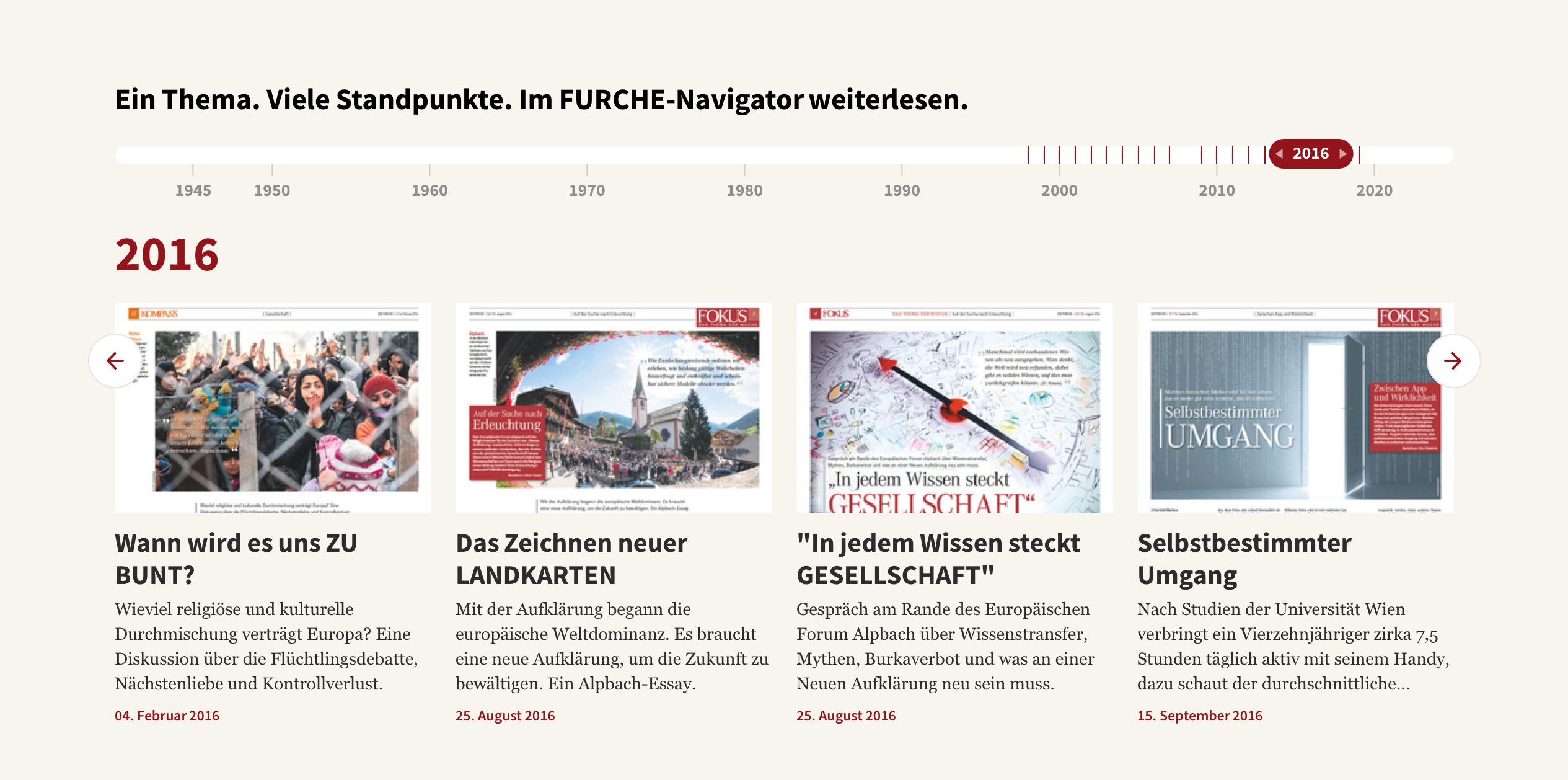
- 150k+
- Articles in the Furche archive
- 1945
- Depth of the archive
- Semantics
- instead of keyword search
- 2018
- in production ever since
In one sentence
A search system becomes a recommendation system.
Every publishing house owns an archive. Most of the time it sits in print or as PDFs and is barely read, because nobody knows what to search for. STRG.timeline turns that around. Instead of making readers search, the system shows on its own what was written about the same topic in the past.
What we take on
Three steps, one service.
 01
01Open up the archive
We digitise your printed editions and make them machine-readable via OCR. Printed back issues are the normal case, not the exception.
 02
02Compute meaning
Every article is placed semantically. The system captures what a text is about, not merely which words appear in it.
 03
03Serve the timeline
A timeline of matching archive pieces appears underneath each article. The newsroom can add or exclude individual items.
How it works
From a stack of paper to a time journey.
Your editorial system stays as it is. Beside it we build an index that is continuously kept up to date.
Your printed and digital back issues
- 01
Ingest
Back issues are scanned and turned into searchable text via OCR.
- 02
Measure
Each text is vectorised, i.e. stored as a point in a space of meaning.
- 03
Compare
Cosine similarity finds the articles that belong together in substance.
- 04
Serve
The timeline is embedded underneath the article and keeps running without manual upkeep.
A time journey underneath every article New articles are picked up automatically.
The difference
Not the similar, but the development.
A conventional recommendation system looks for texts as similar as possible to the current one. That quickly turns into repetition. We tune the semantic logic differently: the timeline is meant to show how a topic has shifted over the decades. Read a piece about artificial intelligence in schools today and you end up in the 1970s, in the debate about pocket calculators in the classroom.
The core
An archive turns from a pull into a push system. The history of the medium comes alive.
Use case
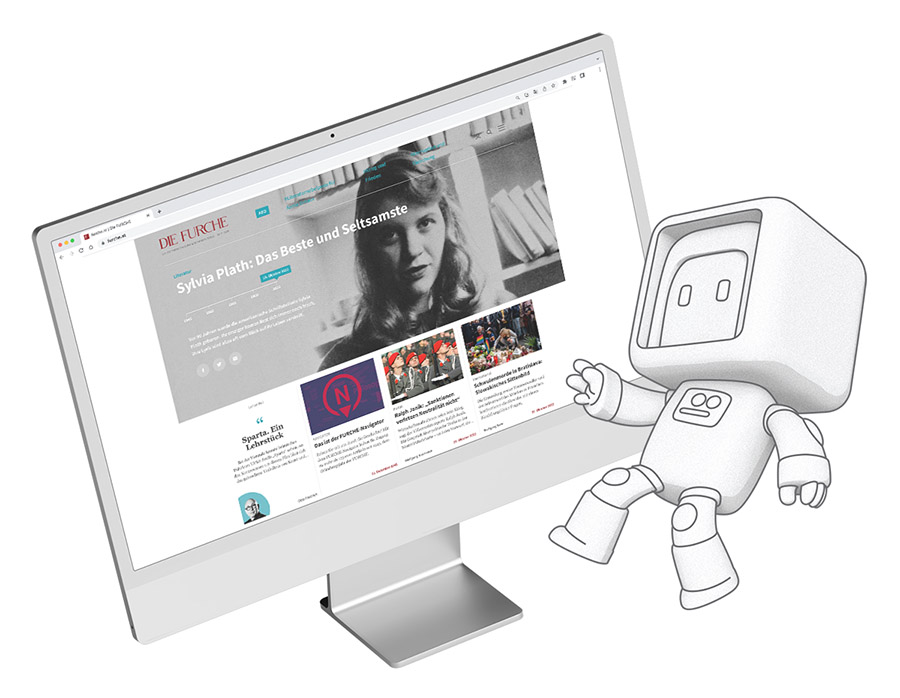
Die Furche: the Navigator
Die Furche has been published since 1945. Together we digitised the entire archive of more than 150,000 articles, placed it semantically and condensed it into a timeline. The newsroom calls it the Navigator. It has been sitting underneath every article on furche.at since 2018 and has been operated by us ever since.
In daily operation
What the timeline does day to day.
- Every article
gets a timeline
The Navigator sits underneath every piece, not only on selected topics.
- Automatic
no manual upkeep
Every new article is measured and picked up into the timelines.
- Dossiers
at the push of a button
The newsroom assembles historically grounded collections on any topic.
- Push
instead of pull
The archive recommends on its own instead of waiting for search queries.
FAQ
Frequently asked questions
- Do we need an archive that is already digitised?
- No. Digitisation and OCR processing are part of the service. Printed back issues are the normal case.
- Does the newsroom stay in control?
- Yes. There is an interface for adding or excluding articles by hand. We advise restraint: the system keeps learning and weights manual interventions very heavily.
- Does this only work with a particular CMS?
- The timeline runs beside your editorial system and is embedded through an interface. At Die Furche the basis is STRG.cms, but that is not a requirement.
- Where is the data processed?
- In the cloud; for Die Furche that is Google Cloud. Only your own content is processed, no third-party data.
- What happens with new articles?
- Every new article is measured automatically and included in the timelines. There is no ongoing manual upkeep.
- How long does a project take?
- That depends on the size of the archive and the condition of the originals. We start with a review of your holdings and a single test volume.
Read about CMS, media and semantics in STRG.Magazine
STRG.magazine



Let's talk about your archive
Your archive is what sets you apart. Make it visible.
We review your holdings and propose a workable starting point.