

This article examines the key benefits of using Kubernetes compared with VMs, including better scalability, flexibility, resource utilization, reliability and security. We will also discuss the considerations associated with setting up and maintaining a Kubernetesenvironment, including the use of GitOps for managing and deploying applications. By understanding the benefits and challenges of using Kubernetes, companies can make informed decisions about whether it is the right platform for their needs.
SUMMARY
Kubernetes is a tool for managing and deploying applications with the aim of improving their reliability, security and scalability. It includes functions such as self-healing, rolling updates and automatic failover to ensure application availability. Kubernetes also provides mechanisms such as replication controllers as well as liveness and readiness probes to improve the reliability of pods. Together with resource limits and quotas, these functions can help ensure that applications are always available and run at optimal capacity.
It is common to use Git and a GitOps workflow as the central source of truth in a Kubernetes environment, where application configurations and deployment manifests are stored in a Git repository and changes are made via pull requests. Tools such as Argo CD and Flux can be used to automate the deployment process in a GitOps workflow on Kubernetes.
By contrast, virtual machines (VMs) require manual intervention for scaling and may not offer the same level of flexibility and optimization options. Compared with VMs, Kubernetes can also provide better resource utilization, since containers are lighter and can be packed more efficiently onto a single host. In addition, Kubernetes enables applications to be deployed in multiple environments with the same configuration and provides role-based access control for fine-grained access management.
Setup and provisioning
For both variants, we assume a strictly GitOps-based setup or deployment configuration.
GitOps is a workflow for managing and deploying applications using Git as the central source of truth. In a GitOps workflow, application configurations and deployment manifests are stored in a Git repository, and changes to these configurations are made via pull requests. This enables version control and the tracking of changes to the application over time. Deployment, i.e. the initial setup and configuration of infrastructure and applications, is an important aspect in the lifecycle of any system. However, it is also important to consider ongoing maintenance and upgrades to ensure that the system remains reliable, secure and up to date. This includes tasks such as patching and updating systems, monitoring for issues and resolving them, and implementing security controls. Proper management of these ongoing tasks can help improve the overall performance and security of the system.
The GitOps toolchain for setting up virtual machines (VMs) with configuration management tools such as Ansible and Puppet or with infrastructure-as-code tools such as Terraform can vary. However, the initial effort required to set up the necessary infrastructure and configurations is likely to be similar. One advantage of using Terraform is that we can define infrastructure as code, which can make it easier to repeat or migrate the setup to another project or instance. On the other hand, Ansible and Puppet are popular options for automating the initial setup of VMs. Regardless of the toolchain used, it is important to consider not only the initial deployment, but also the ongoing maintenance and upgrades required to ensure the reliability, security and current status of the system.
Continuous update and upgrade process
Kubernetes is released every three months, and upgrades are usually implemented in a defined way. Using an operating system optimized for Kubernetes can reduce the attack surface and maintenance effort, since these systems are designed for the specific requirements of a Kubernetes deployment. Many cloud providers offer their own operating systems optimized for Kubernetes, often with integrated upgrade workflows that can be performed automatically or manually. By contrast, VMs that use a dedicated Linux operating system require continuous upgrades to ensure security and reliability. This process usually requires a system administrator or operator to monitor security reports for critical issues and perform updates as needed. There are also tools such as Puppet and unattended upgrades that can automate this process.
In Kubernetes, system library updates are usually performed at the container level. By properly implementing and maintaining a tool such as Renovate and using GitHub security checks, critical security issues can be addressed as part of continuous vulnerability scanning. This helps ensure that the system remains secure and up to date.
Scalability
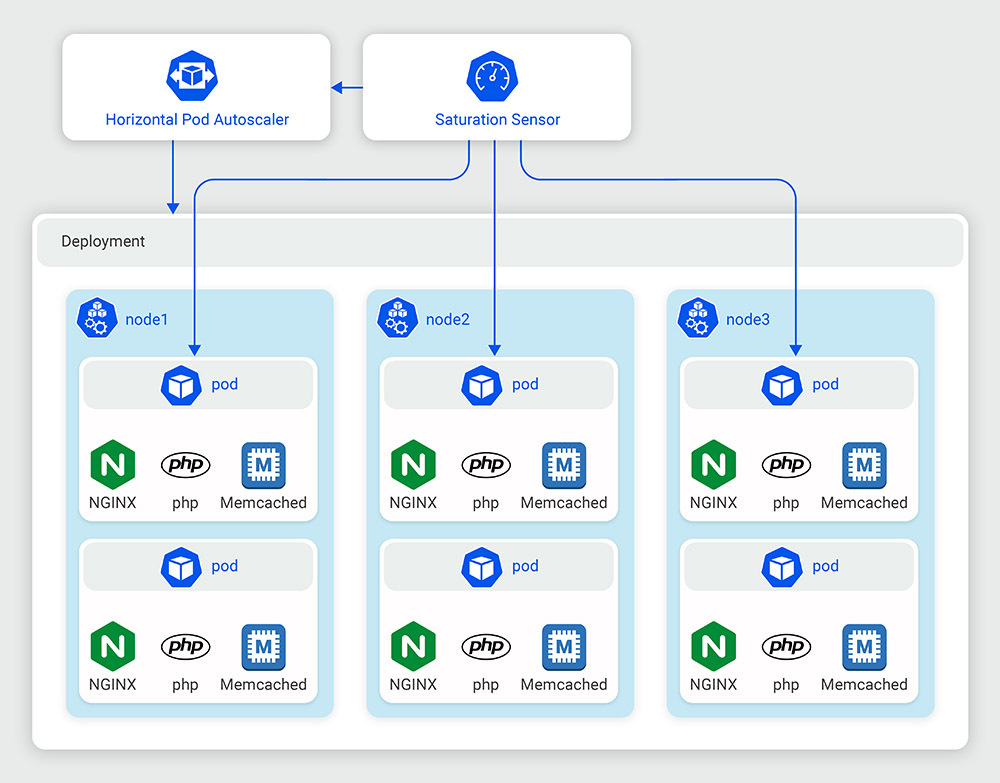
In terms of scalability, there is a fundamental difference between virtual machines (VMs) and a Kubernetes cluster. VMs require manual intervention for scaling, since an operator has to set up and configure new VMs, adjust network configurations and manage load balancing. This process can be time-consuming and affect system performance. By contrast, Kubernetes enables fine-grained control over the scaling of individual components within the system. The scheduler automatically handles application scaling, and in combination with cloud node scaling, the system can add or remove resources such as CPU cores and memory at runtime without affecting performance or causing downtime. This provides a high degree of flexibility and optimization options for adapting to changing resource requirements.
Flexibility
In addition to flexibility in scaling, container technology gives developers the ability to shift an application together with its environment, including all dependencies and version constraints, left and deploy it without affecting the operating system layer. This allows development teams to package everything into an immutable container image without having to worry about the underlying system. In a decentralized software environment where each component can be scaled independently, this is a significant advantage over VMs, which enforce global version constraints and can be affected by updates to the dependencies of other running applications. In Kubernetes, workloads can continue running and be moved between nodes, even during a node restart. This contrasts with VMs, which are unavailable during a restart and can affect system availability. The ability to move workloads seamlessly between nodes can improve the reliability and uptime of the overall system.
Resource optimization
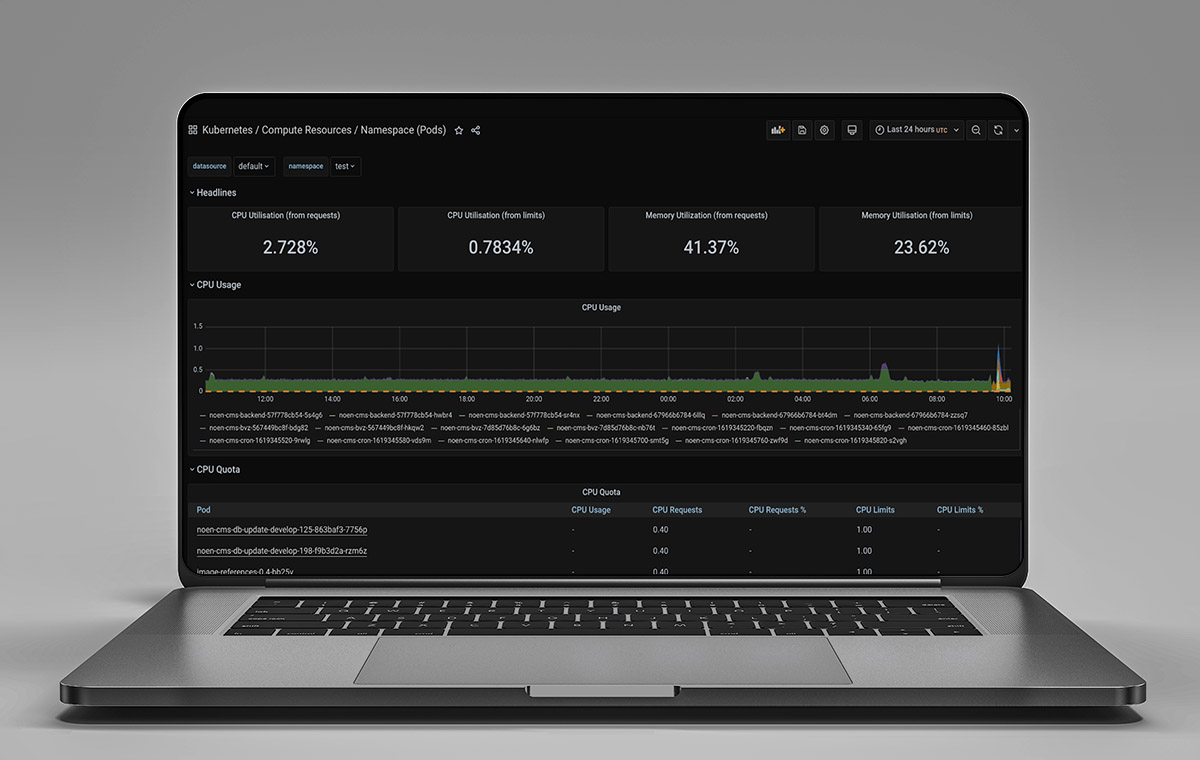
One of the main advantages of containers is their efficient use of resources. Because containers share the host operating system and its resources, they are easier to manage than virtual machines, allowing us to run more containers on a single physical or virtual host. With the right configuration, Kubernetes can further optimize resource utilization within the cluster by intelligently distributing workloads across nodes. Combined with its scalability features, this enables the system to respond quickly to changes in demand and ensures that applications always run at optimal capacity.
At STRG, we go one step further by consolidating multiple stages (e.g. integration, staging and production) in a single cluster. This allows us to reduce wasted resources while still meeting the required performance constraints for each stage. With the right configuration, we are able to prevent side effects from integration or staging workloads on production or other critical components.
Increased reliability
Kubernetes includes features such as self-healing, rolling updates and automatic failover that help ensure application availability. In addition, Kubernetes provides mechanisms such as replication controllers as well as liveness and readiness probes to improve pod reliability. Together with resource limits and quotas, these features can help ensure that applications are always available and run at optimal capacity. In an enterprise environment, maintaining high uptime is critical. By using Kubernetes and taking advantage of its reliability features, application availability can be increased and overall system performance improved.
Security
There are several situations in which Kubernetes is the better choice for security compared with virtual machines. One such situation is when we run a large number of applications or services that need to be isolated from one another. In this case, Kubernetes allows each application to run in its own isolated environment, a so-called “pod”, which can provide an additional layer of security. Another situation in which Kubernetes may be the better choice is when we need to scale quickly to meet changing requirements. Kubernetes provides the ability to easily increase or decrease the number of replicas of an application, which can be useful in situations where we need to respond to changes in demand. This can be particularly useful in environments where security is the highest priority, as it allows us to allocate resources effectively to meet application requirements. In addition, Kubernetes can be the better choice when applications need to be deployed across multiple environments. Kubernetes provides the ability to deploy applications in multiple environments (e.g. development, staging and production) with the same configuration. This can help ensure that applications are deployed consistently across all environments, which can benefit application security.
Finally, Kubernetes can be the better choice when we need to implement fine-grained access controls. Kubernetes provides role-based access control (RBAC), which allows us to define granular access controls for different users and groups within the system. This can be useful in environments where strict security controls need to be implemented to ensure that only authorized users have access to specific resources.
by Nils Müller